A reset time can look wrong because a device changed time zones, a clock repeated an hour, or a display kept a stale offset. Compare the complete date and UTC offset before treating it as a longer Claude lockout.
Why Does My Claude Usage Limit Reset Time Look Wrong?
Before waiting longer, check three things: the displayed label, the underlying instant, and whether Claude actually lets you work again.
Choose a check
- Check which limit stopped your work
- Keep the date when converting a UTC time
- Read the offset when the same hour happens twice
- Count elapsed time across a clock change
- Check the weekly anchor before calling it a delay
- Check the time-zone conversion after travelling
- Separate scheduler recovery from quota recovery
- Treat an incomplete offer deadline as unknown
1. Check which limit stopped your work
For plans that expose the relevant counters, Settings > Usage shows session usage and remaining time, plus weekly reset information. Use the counter for the limit that actually stopped you.
A session countdown and a weekly reset label describe different windows; do not substitute one for the other.
Try this: Match the stop message to the session counter, weekly counter or reset offer. Compare that same item on both screens.
2. Keep the date when converting a UTC time
July 26, 2026: a Claude Code feature request supplied a UTC-labelled example, with a reset at 3:49pm on July 26. It asked for local-zone display or configuration.
That historical request does not establish that today’s client always displays UTC, or that every local-zone option proposed there exists.
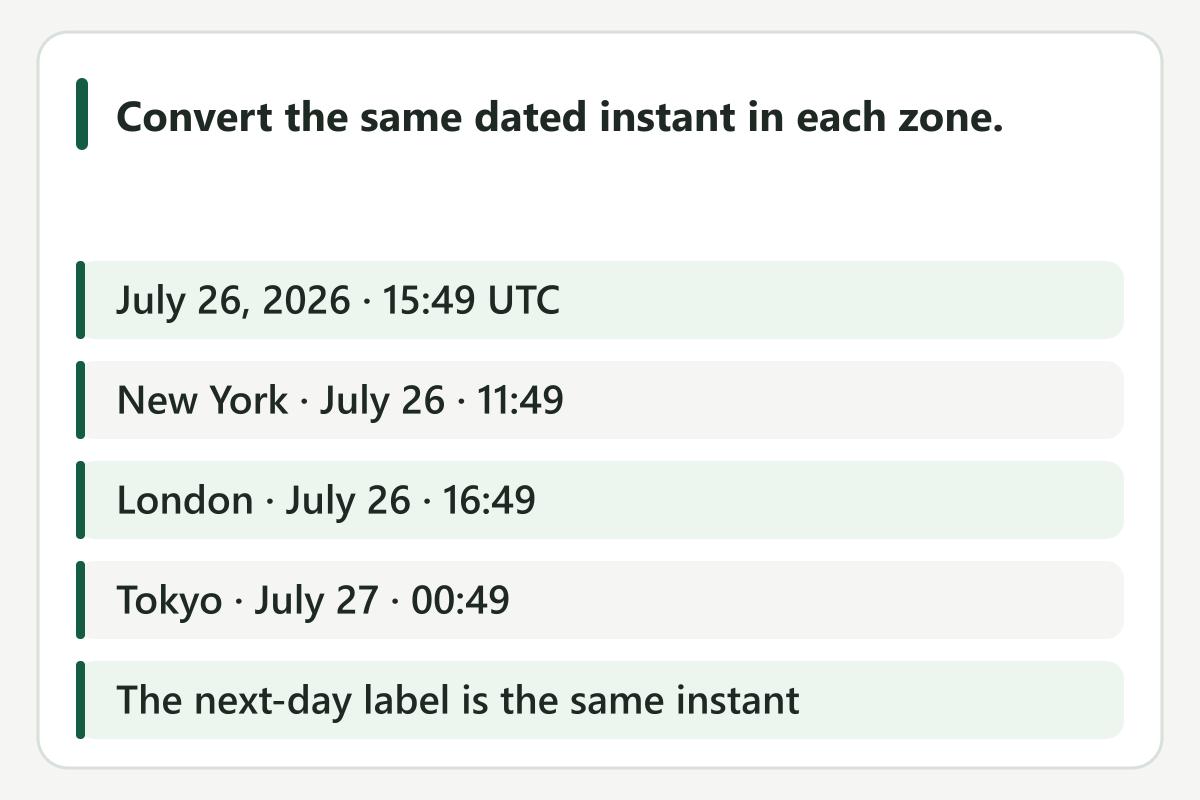
Our conversion of the July example keeps one instant fixed: July 26, 2026 at 15:49 UTC becomes 11:49 in New York, 16:49 in London and 00:49 on July 27 in Tokyo. The next-day Tokyo label is not an extra day of waiting.
This calculation attaches the report’s year to its dated example; it does not recover that account’s actual reset event. Comparing only the displayed calendar day would compare different local representations of the same instant.
Try this: Convert the complete date and time together. Compare the resulting instant, not just the hour or the calendar-day label.
3. Read the offset when the same hour happens twice
The following examples deliberately choose dates and timestamps to expose clock mistakes. NIST lists the 2026 U.S. daylight-saving change dates as March 8 and November 1.
We use America/New_York rules; this is not a claim that every U.S. region changes clocks or that Claude grants a reset on those dates.
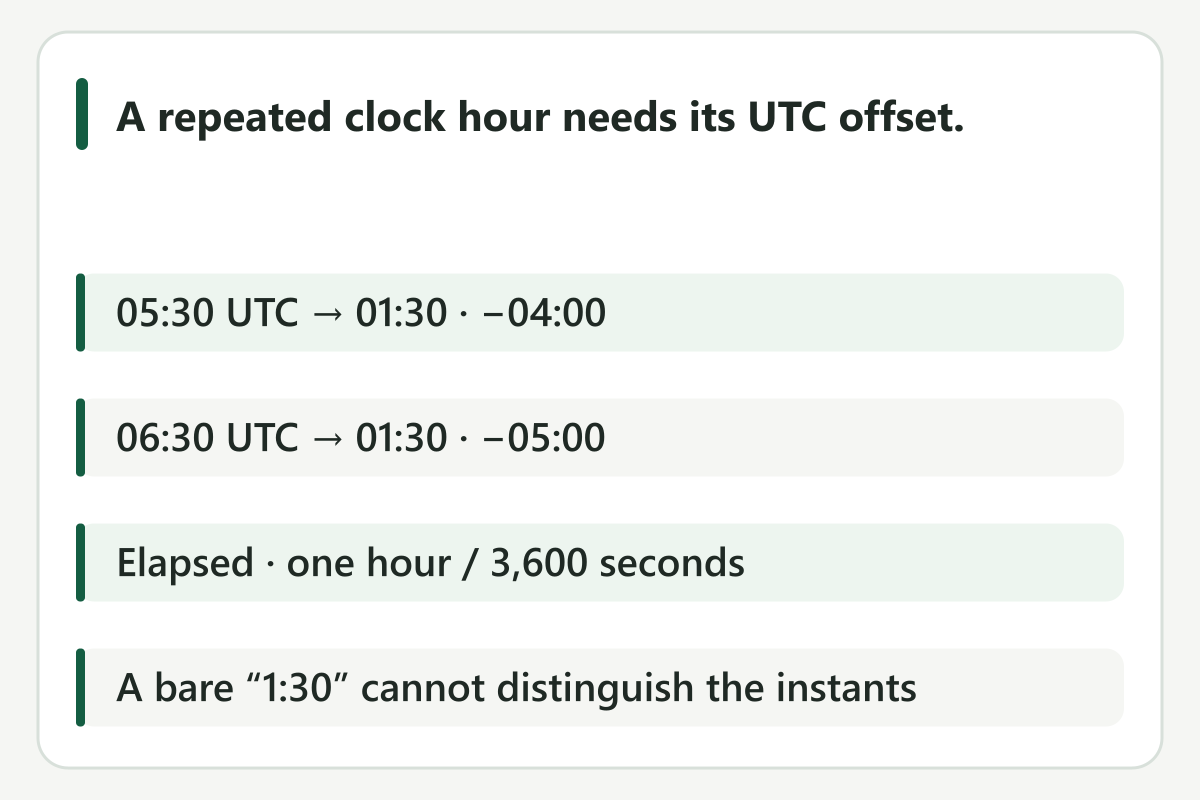
Our repeated-hour fixture converts November 1, 2026 at 05:30 UTC to 01:30 with offset −04:00, and 06:30 UTC to 01:30 with offset −05:00 in New York. Subtraction in UTC gives 06:30 − 05:30 = one elapsed hour, or 3,600 seconds.
A bare “1:30” cannot distinguish these two results. Losing the offset can make a later instant look unchanged; that ambiguity alone does not demonstrate a delayed Claude reset.
Try this: If a repeated-hour label omits the offset, leave the instant unresolved. Do not silently choose the earlier or later occurrence.
4. Count elapsed time across a clock change
Our fall-back fixture starts at November 1, 2026, 00:30 −04:00. Adding five elapsed hours in UTC yields 04:30 −05:00: the clock advances four hours while 18,000 seconds pass.
Adding five to the local clock instead yields 05:30 −05:00, six elapsed hours after the start. These two operations differ by 3,600 seconds.
This is an arithmetic counterexample to clock-only planning, not a prediction that your account’s session began at our chosen start time.
Our spring-forward control reverses the error. From March 8, 2026, 00:30 −05:00, five elapsed hours ends at 06:30 −04:00; the clock advances six hours.
Local-clock addition instead reaches 05:30 −04:00 after just 14,400 seconds. Stopping there would be one elapsed hour earlier than the chosen five-hour interval.
The fall and spring examples therefore require opposite corrections; a blanket instruction to always add or subtract an hour would fail one of these controls.
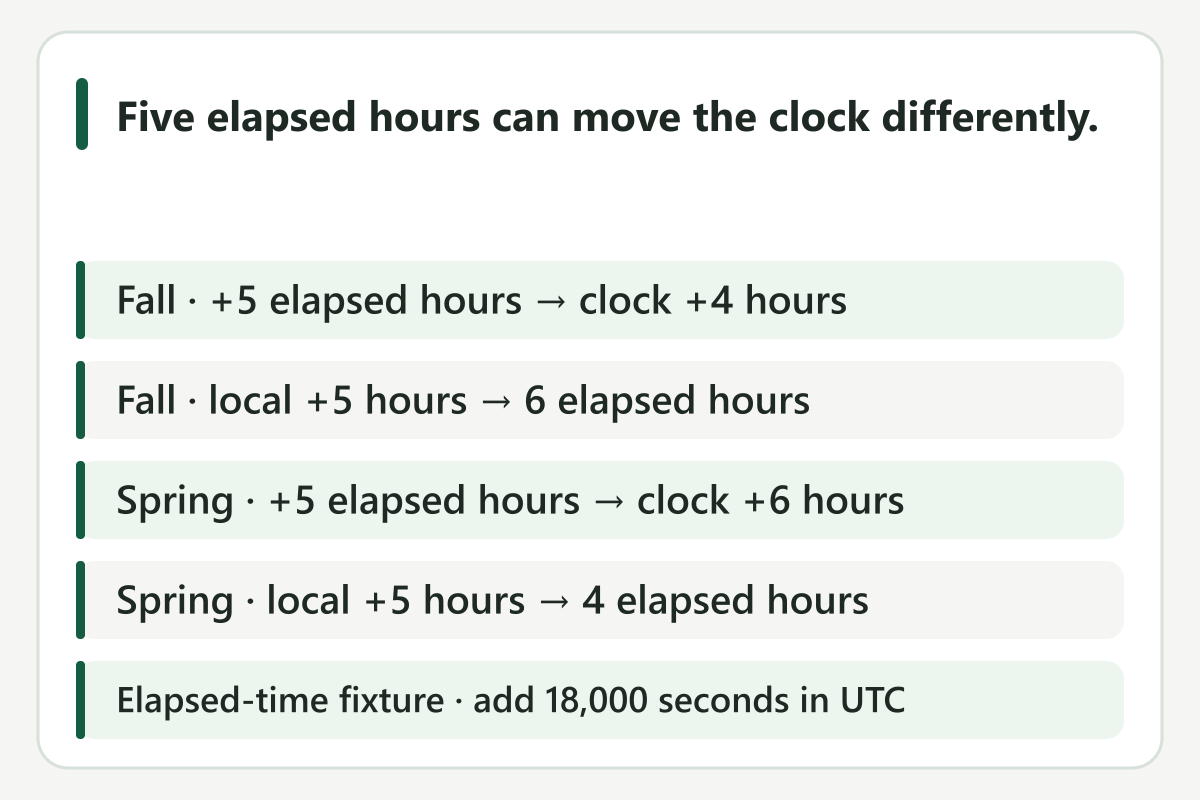
For developers, calculate elapsed intervals between UTC instants and format the result in the target IANA zone. Our fall and spring controls intentionally add seconds in UTC before converting back.
A stored fixed offset is not interchangeable with a zone whose offset can change with the date. This is general time-handling practice, not a special Claude quota rule.
Try this: For a verified five-hour interval, add 18,000 seconds in UTC, then format the result in the intended zone. Our example start times are illustrative, not your account’s start times.
5. Check the weekly anchor before calling it a delay
Our weekly-anchor comparison uses two deliberately different schedules. Monday 00:00 UTC on October 26 and November 2 appears in New York as Sunday 20:00 and Sunday 19:00, with 168 elapsed hours between instants.
Holding Sunday 20:00 New York time on October 25 and November 1 instead produces Monday 00:00 and Monday 01:00 UTC, with 169 elapsed hours between them. Neither fixture establishes Claude’s anchor for your account.
A one-hour label change cannot distinguish these schedules without an offset-bearing timestamp.
Try this: Compare the account’s current weekly readout and its zone. Do not replace it with a universal weekly timetable.
6. Check the time-zone conversion after travelling
February 19, 2026: a macOS 15 report described a one-hour discrepancy after travel from a UTC+1 location back to London in winter. The system reportedly showed GMT while the reset label still appeared shifted.
A cached offset was the reporter’s explanation; we did not reproduce that client defect.
Our travel-shaped control fixes February 19, 2026 at 10:00 UTC. Europe/London renders it as 10:00 +00:00; a fixed +01:00 offset renders it as 11:00 +01:00.
Both represent the same instant. This recreates the shape of a one-hour label discrepancy without reproducing the reported software bug.
Merely attaching “Europe/London” to a value computed with the wrong offset would not repair it: the conversion itself has to use the zone’s rules for that date.
Try this: Check the system zone and the displayed offset together. If they conflict, preserve both labels for support rather than assuming the quota moved.
7. Separate scheduler recovery from quota recovery
A separate October 27, 2026 report concerned scheduled tasks in Claude Desktop 3.6556.2 on macOS 27.0.1. After the Warsaw clock change, the author reported tasks firing one hour late until restart.
This was a scheduler observation, not a session-allowance experiment. Its restart outcome does not prove that restarting resets usage.
Try this: Check whether the scheduled task fired and whether the usage limit cleared as separate outcomes. A restart is not proof of restored allowance.
8. Treat an incomplete offer deadline as unknown
October 22, 2026: a Toronto report described a reset offer whose expiry displayed a date without a time or zone. That is an offer deadline, not the normal session countdown.
Current reset documentation says unused offers expire at their listed day and time, and using one cannot be undone.
An offer’s expiry deserves its own check. If all you have is a date, we do not know the missing cutoff instant.
Do not invent midnight, infer an expiry from another subscriber’s screenshot, or transfer a scheduler workaround to a reset offer. The current offer’s actual time and eligibility remain account-specific evidence to obtain.
Try this: Look for the offer’s complete expiry time. If it shows only a date, do not invent midnight or use another account’s deadline.
Then check whether access actually returned
Use this order: identify the session, weekly or offer label; retain its complete date and zone; compare the same instant in your intended zone; then check the relevant counter again. If the display remains contradictory after travel, preserve the old and new labels for support.
A model’s prose guess about your local time is not a replacement for the product’s usage readout.
Once both displays refer to the same instant, check whether the limit itself has cleared. If the time agrees but the meter still jumps or blocks work, continue with our reset-readout guide. That is a separate evidence question: what the account actually displayed before and after the scheduled boundary, rather than how a clock formatted it.
How we checked the examples
Published October 31, 2026. Historical observations below are reports from particular environments.
Our calculations use Python 3.12.14 with tzdata 2026.5; six conversions were independently checked with Node Intl. These are local clock fixtures, not live Claude reset events or account-allowance tests.